

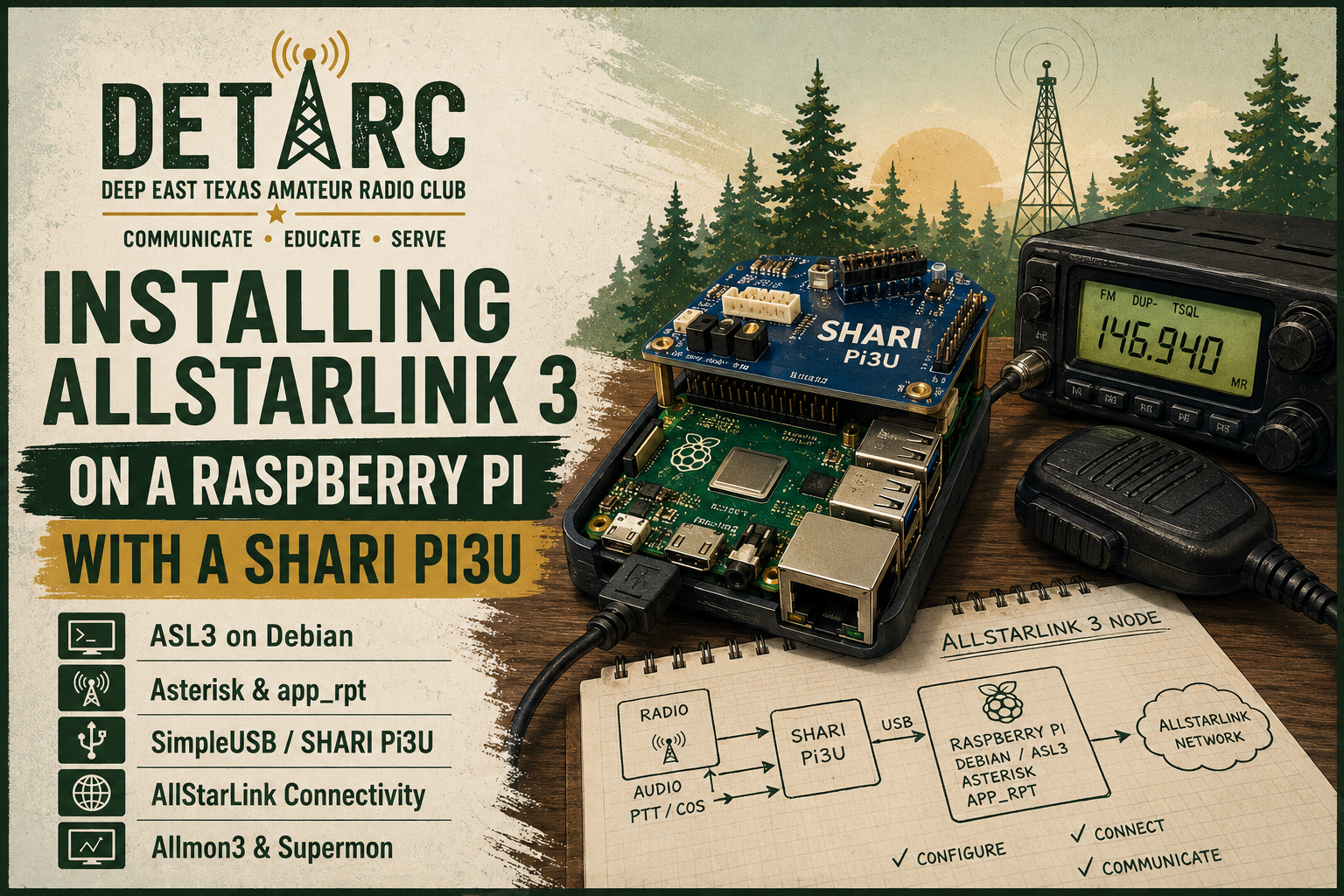
Installing AllStarLink 3 on a Raspberry Pi with a SHARI Pi3U
I recently built a new AllStarLink node using the current AllStarLink 3 distribution on a Raspberry Pi with a SHARI Pi3U radio interface. This post is not intended to be a line-by-line installation manual, because the exact screens and package versions will change over time. Instead, it is a high-level walkthrough of the process I followed and the main configuration areas I verified after the node came online.
The finished system is a small self-contained AllStarLink node: the Raspberry Pi runs Debian, Asterisk, app_rpt, AllStarLink 3, and the web monitoring tools; the SHARI Pi3U handles the local RF, audio, PTT, and COS side of the station.
Hardware used
The build was based on:
- A Raspberry Pi suitable for running the ASL3 Pi appliance image
- A microSD card
- A SHARI Pi3U / SHARI Pi-Hat style radio interface
- Network access for the Pi
- A registered AllStarLink node number
- A local radio plan: frequency, tone, and operating expectations appropriate for the station
In my case the system came up as a fresh ASL3 / ASL3 Pi appliance style installation. The underlying operating system identified itself as Debian GNU/Linux 13, the AllStarLink System Manager variant, running Asterisk 22 with the ASL3 app_rpt package set.
1. Prepare the AllStarLink node in the portal
Before configuring the Pi, the AllStarLink node needs to exist in the AllStarLink portal. At a high level, this means:
- Create or confirm the AllStarLink account.
- Create or assign the node number.
- Record the node password or registration credential securely.
- Confirm the callsign and node identity that should be used by the new installation.
The node registration material is sensitive. I do not keep it in ordinary notes or blog copy. It belongs in a password manager or another appropriate secret store.
2. Image the Raspberry Pi with the ASL3 appliance image
The next step was to write the ASL3 Raspberry Pi appliance image to the microSD card, boot the Pi, and complete the initial system setup.
The practical goals at this stage were simple:
- Get the Pi booting reliably.
- Give it a recognizable hostname.
- Put it on the local network.
- Make sure SSH access works.
- Confirm that the base AllStarLink services start at boot.
After first boot, I verified the system identity from the shell. The node reported itself as a Debian-based AllStarLink System Manager installation, with Asterisk and the ASL3 packages already installed.
For a station that may need future maintenance, I recommend choosing a hostname that includes the node number or other meaningful station identifier. It makes later troubleshooting much easier when more than one Pi or radio device is on the network.
3. Configure the node identity
The primary Asterisk/app_rpt configuration lives under /etc/asterisk. The key file for the AllStar node itself is usually:
/etc/asterisk/rpt.conf
For this node, the local node stanza was configured with the node number, callsign ID, duplex behavior, hang time, and radio channel. In simplified form, the important ideas were:
[<node-number>](node-main)
idrecording = |i<CALLSIGN>
duplex = 1
hangtime = 400
rxchannel = SimpleUSB/<node-number>
The exact values depend on the station. The important point is that app_rpt needs to know which node it is running, how it should identify, and which radio channel driver it should use for the local RF interface.
In this installation the node used SimpleUSB rather than usbradio, which is a common choice for a SHARI-style interface.
4. Configure SimpleUSB for the SHARI Pi3U
The SHARI interface is represented to Asterisk through the SimpleUSB channel driver. The relevant configuration file is:
/etc/asterisk/simpleusb.conf
The node used a SimpleUSB stanza that inherited from the standard ASL3 node defaults and the SHARI Pi-Hat profile:
[<node-number>](node-main,shari-pihat-pizero)
That inheritance is important. Rather than hand-building every audio and GPIO parameter, the configuration starts from the ASL3 templates appropriate for a SHARI Pi-Hat style device.
After boot, I checked that the expected USB audio and serial devices were visible to the system. The Pi saw a C-Media USB audio device and a CH340 serial converter, which is the kind of hardware presentation I expected from this setup. I also confirmed that the Asterisk chan_simpleusb.so module was loaded and that the live channel was SimpleUSB/<node-number>.
5. Confirm AllStarLink registration behavior
ASL3 handles registration differently than older configurations some operators may remember from ASL2-era systems. On this node, registration was configured through:
/etc/asterisk/rpt_http_registrations.conf
That file contained the node registration line for the AllStarLink registration service. Because this was ASL3 HTTP registration, the old habit of checking only iax2 show registry can be misleading. On this system, iax2 show registry returned no IAX2 registrations, but that was not by itself a failure. The correct question is whether the ASL3 HTTP registration configuration is present and whether the node is reachable and functioning as expected.
6. Verify Asterisk and app_rpt
Once the basic configuration was in place, I checked Asterisk directly. Useful commands included:
asterisk -rx 'core show version'
asterisk -rx 'rpt localnodes'
asterisk -rx 'rpt stats <node-number>'
asterisk -rx 'core show channels'
asterisk -rx 'module show like simpleusb'
The checks confirmed that:
- Asterisk was running.
- The local node number was visible to app_rpt.
- The SimpleUSB channel driver was loaded.
- The local SimpleUSB channel was active.
- The node was enabled and accepting incoming connections.
This is the point where the node begins to feel real. If rpt localnodes shows the node and rpt stats reports sane values, the AllStar side of the system is at least alive enough to troubleshoot from there.
7. Bring up the web interfaces
The ASL3 appliance includes a modern Allmon3 web interface. On this system, Allmon3 was running as a systemd service and Apache was serving the HTTPS web front end.
The main web-related pieces were:
allmon3.service
apache2.service
/etc/allmon3/allmon3.ini
/etc/allmon3/users
Allmon3 communicates with Asterisk through the Asterisk Manager Interface, or AMI. A key security detail is that AMI was bound only to localhost on this node:
127.0.0.1:5038
That is the desired posture for a small local node: the web tools on the Pi can talk to Asterisk, but AMI is not exposed directly to the LAN.
I also added Supermon for operators who are familiar with that interface. Supermon is a PHP application served by Apache rather than a separate systemd service. Its main files live under:
/home/u851502186/domains/detarc.net/public_html/supermon
The important distinction is that Allmon3, Supermon, and AMI are related but separate layers:
- Allmon3 is the ASL3 web monitor/control service.
- Supermon is an optional PHP web monitor/control interface.
- AMI is the local Asterisk control API used behind the scenes.
- Web login credentials and AMI credentials are different credential classes, even if they are administered at the same time.
8. Check network services and exposure
After the node was running, I checked which services were listening. The expected services included:
- SSH for administration
- Apache HTTP/HTTPS for the web UI
- Cockpit/system portal on its usual HTTPS port
- Allmon3 internal web/API ports
- UDP 4569 for IAX2
- mDNS/Avahi for local hostname discovery
- AMI on localhost only
The important security check was that AMI was not exposed to the network. From the Pi, it was listening on 127.0.0.1:5038; from outside the Pi, it was not open as a LAN-facing service.
I also verified that ordinary HTTP redirected to HTTPS for the web interfaces.
9. Review DTMF commands
For day-to-day use, the DTMF functions matter more than most of the low-level configuration. In ASL3, the local node stanza may inherit its functions from a shared template section. On this node, the local functions stanza inherited from functions-main.
The common commands were the expected AllStarLink linking commands:
| DTMF | Purpose |
|---|---|
*1 | Disconnect a specified link |
*2 | Connect to a specified node in monitor-only mode |
*3 | Connect to a specified node in transceive mode |
*4 | Enter command mode on a specified link |
*70 | System status |
*721 | Force ID, global |
*722 | Time of day, global |
*723 | Software version, global |
For example, using a placeholder remote node number 12345:
*312345    connect to node 12345 in transceive mode
*212345    connect to node 12345 in monitor-only mode
*112345    disconnect node 12345
*70        request system status
Operators should always listen first, identify properly, and avoid interrupting active traffic.
10. Document the finished system
The final step was documentation. I captured a configuration inventory that included:
- OS and package versions
- Network identity
- Listening services
- Asterisk/app_rpt status
- SimpleUSB/SHARI configuration
- Allmon3 configuration
- Supermon configuration
- Registration posture
- DTMF functions
- Service restart commands
- Troubleshooting notes
I also kept a separate sensitive credentials note. That separation matters. Operational documentation should say where credentials are used and which systems depend on them, but it should not casually expose live passwords, node secrets, hashes, or registration material.
Lessons learned
A few points stood out from this installation.
First, ASL3 is not just ASL2 with a new version number. Some old checks and expectations still help, but others can mislead. The registration posture, Allmon3, and the Debian/package layout deserve to be understood on their own terms.
Second, the SHARI Pi3U setup is clean when the SimpleUSB profile is correct. The key is to verify the hardware path rather than assuming the radio interface is configured just because the node stanza exists.
Third, separate the layers when troubleshooting. A web page loading does not prove Asterisk control works. Asterisk running does not prove the RF interface is right. A node number appearing locally does not prove remote network registration is healthy. Work layer by layer:
- Operating system and network
- USB/audio/serial hardware
- Asterisk service
- app_rpt local node
- SimpleUSB channel
- AllStarLink registration/reachability
- Allmon3/Supermon web control
- RF testing
Finally, write the documentation while the system is fresh. The details that seem obvious during installation are exactly the ones that are hard to reconstruct six months later.
Closing
The end result is a compact AllStarLink 3 node running on a Raspberry Pi with a SHARI Pi3U interface. The Pi hosts the ASL3/Asterisk/app_rpt stack, provides web monitoring through Allmon3 and Supermon, and connects the local RF side to the broader AllStarLink network.
For a small home or portable node, this is a very capable arrangement. The main work is not just getting the image to boot, but verifying each layer carefully and documenting the finished configuration well enough that future maintenance is straightforward.
