
Software Every Ham Should Know
Excerpt: Your computer or phone can make amateur radio much easier. Here are the software tools a new Technician should know for programming radios, finding repeaters, logging contacts, APRS, Winlink, and more.
The Short Version
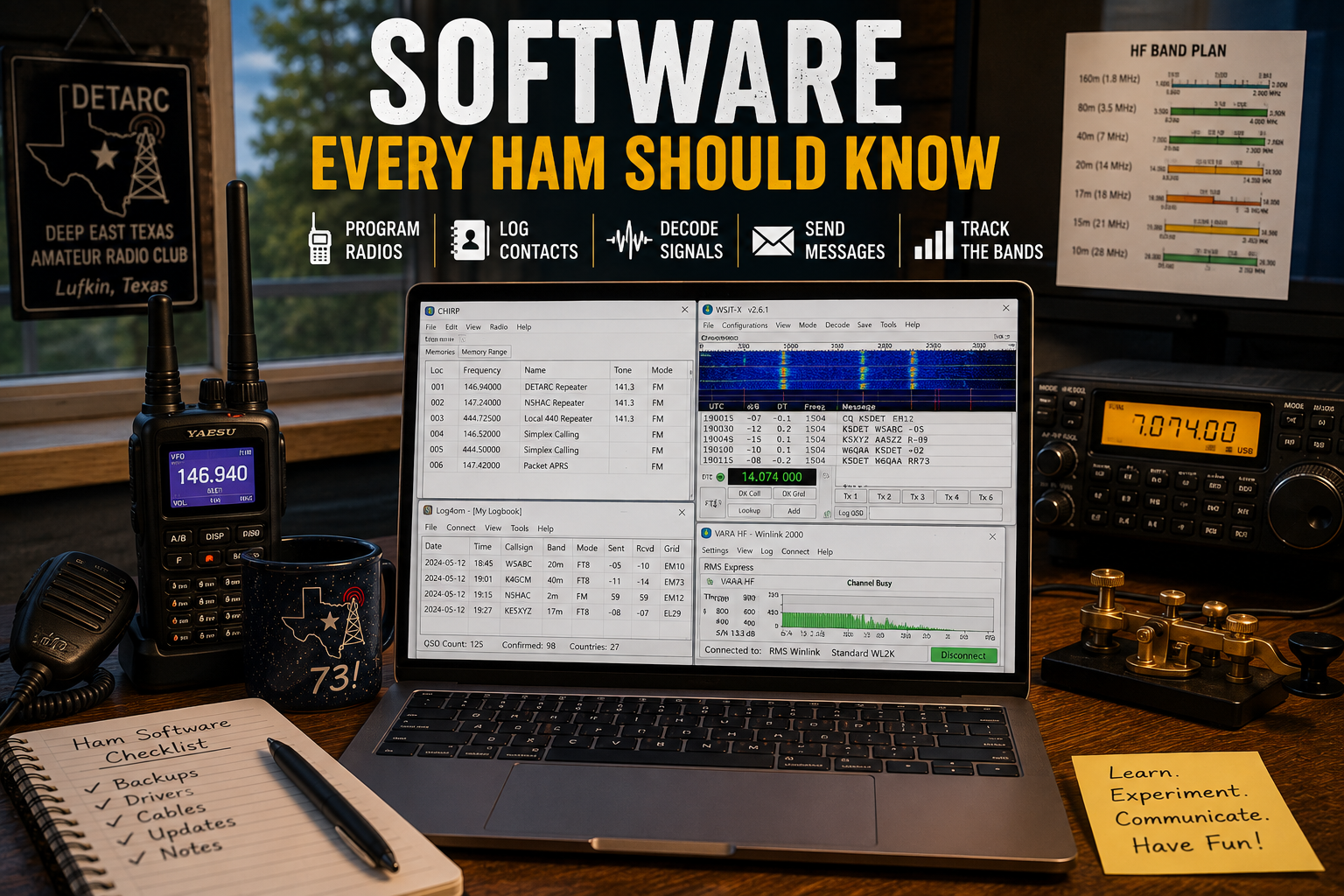
You don’t need a computer to enjoy amateur radio, but a few good applications can make getting started much easier.
For a new Technician, software is most useful for four things:
- Programming your radio
- Finding repeaters and stations
- Keeping track of contacts
- Exploring things like APRS and Winlink
You don’t need everything on this page. Think of this as a list of tools to know about so you’ll recognize them when you need them.
Programming Your Radio: CHIRP
Programming a few repeater frequencies from the front panel of a handheld isn’t difficult.
Programming fifty of them is an excellent way to reconsider your life choices.
CHIRP is a free, open-source radio programming application supporting a large number of amateur radios.
Instead of entering every frequency, offset, tone, and name with the radio’s keypad, CHIRP lets you create a channel list on your computer and transfer it to the radio.
For example, a memory might contain:
146.940 MHz | -600 kHz | PL 141.3 | W5IRP
CHIRP is available for Windows, macOS, and Linux, including modern Apple Silicon Macs.
One Habit Worth Learning Immediately
Before changing your radio’s programming:
Read the radio first and save a backup.
Give it an obvious filename such as:
FT60-original.img
Then make your changes.
If something goes sideways, you have a known-good configuration to restore.
What If CHIRP Doesn’t Support My Radio?
Some radios work better with manufacturer software, particularly more sophisticated digital or feature-rich radios.
You’ll encounter software such as Yaesu’s ADMS, Icom’s CS-series, Kenwood programming applications, and various CPS packages.
There’s also commercial programming software from RT Systems for many popular amateur radios.
The lesson isn’t that you need CHIRP specifically.
It’s that your radio programming should exist somewhere besides inside the radio.
Finding Repeaters: RepeaterBook
You’re traveling and want to know what repeaters are nearby.
That’s a software problem too.
RepeaterBook maintains a large database of amateur-radio repeaters and provides web and mobile access.
You can search by location and find information such as:
- Frequency
- Offset
- CTCSS/PL tone
- Location
- Mode
- Callsign
That’s especially useful when traveling.
Some programming applications can also import repeater information, allowing you to build a travel channel list without manually entering every repeater.
Just remember that repeater databases are community-maintained. Local information from active operators is often the best source for what’s actually working and used regularly.
Logging Contacts: Keep It Simple
Technicians aren’t generally required to maintain a station log for ordinary contacts, but logging is still a useful habit.
At minimum, you might record:
Date | Time | Callsign | Frequency | Mode | Name | Location | Notes
You don’t need elaborate software to do that.
A notebook works.
So does a spreadsheet.
If you want a dedicated application, HAMRS is one approachable option and is designed around a relatively simple logging workflow.
The important concept to recognize is ADIF — Amateur Data Interchange Format.
ADIF is a standard format used to move amateur-radio contact information between applications.
If you eventually change logging software, an ADIF export helps prevent your log from being trapped in one particular program.
For now, though, don’t turn logging into another hobby before you’ve had time to enjoy radio.
Make contacts first. Organize them second.
APRS: Watch Before You Transmit
We’ve introduced APRS earlier in this learning path.
One of the easiest ways to understand it doesn’t require a radio at all.
Visit APRS.fi.
Search for your area and you’ll see APRS stations, digipeaters, weather stations, objects, and other activity plotted on a map.
Try searching for a callsign and examining its recent packets.
This helps make sense of concepts such as:
Station → Digipeater → iGate → APRS-IS → Internet
before you ever configure your own radio to transmit APRS.
If you later decide to build your own APRS station, you’ll probably encounter Dire Wolf.
Dire Wolf turns a computer—including a Raspberry Pi—into a software TNC for packet radio and APRS.
That’s more advanced, so don’t worry about installing it yet.
Just remember the name.
Winlink: Radio Meets Email
Winlink is another application we’ve explored in this learning path.
Winlink provides radio-based messaging and is widely used in amateur-radio emergency and public-service communications.
Windows users will most commonly encounter Winlink Express.
Mac and Linux users aren’t completely left out, either. Pat is an open-source Winlink client that works particularly well in Linux and Raspberry Pi environments and can also be used on other platforms.
If public-service or emergency communications interests you, Winlink is one piece of software worth eventually learning.
But learn it before an emergency.
Trying to figure out radio interfaces and message routing while the lights are out rather defeats the purpose.
Radio Programming on Your Phone
Not every radio requires a laptop anymore.
Some newer radios support Bluetooth programming from a phone or tablet, and manufacturers increasingly provide mobile applications for configuration or control.
That can be extremely convenient in the field.
However, there is an important difference between:
programming a radio
and
controlling a radio.
Programming usually means changing stored memories and settings.
Control software may allow you to change frequency, operate functions, view information, or even remotely operate a compatible radio.
As your equipment becomes more sophisticated, you’ll encounter more of both.
For your first handheld, however, being able to maintain and restore your channel list is far more important than building a remotely controlled command center.
Windows Isn’t Your Only Choice Anymore
Amateur-radio software has historically leaned heavily toward Windows.
That’s still noticeable—particularly with manufacturer programming software—but things have improved substantially.
Major open-source tools increasingly support:
- Windows
- macOS
- Linux
CHIRP is a good example, with current versions supporting both Intel and Apple Silicon Macs as well as Linux and Windows.
Linux is particularly common in amateur-radio projects involving Raspberry Pi, APRS, packet radio, hotspots, network services, and other experimental applications.
Mac users also have a growing collection of native and cross-platform radio applications.
So if you already use a Mac or Linux machine, don’t assume you need to buy a Windows laptop just because you’ve become a ham.
Check the software requirements for your particular radio first.
Don’t Forget Your Phone
Your smartphone may actually become your most-used amateur-radio computer.
Useful categories include:
- Repeater directories — finding repeaters while traveling
- APRS applications — viewing APRS activity
- Callsign lookup — identifying stations you’ve heard
- Satellite tracking — predicting passes overhead
- Maidenhead grid tools — determining your grid square
- Radio programming/control — supported by some newer radios
One particularly useful resource is QRZ.
Hear an unfamiliar callsign?
Look it up.
That’s one of the fastest ways for a new operator to start recognizing who is actually on the air.
Your Technician Software Starter Kit
Don’t install twelve programs after reading this article.
Start with the tools that solve something you’re doing right now.
| I want to… | Start with… |
|---|---|
| Program my radio | CHIRP or manufacturer software |
| Find repeaters | RepeaterBook |
| Look up a callsign | QRZ |
| Keep a basic contact log | Notebook, spreadsheet, or HAMRS |
| Explore APRS | APRS.fi |
| Learn radio messaging | Winlink Express or Pat |
| Experiment with packet/APRS | Dire Wolf |
That’s enough to get started.
You can discover the rest when you actually have a reason to use it.
A Simple First-Week Challenge
Do one thing that will save Future You from Current You:
Back up your radio.
If your radio supports computer programming, read its current configuration and save a copy somewhere safe.
Then create a second file and begin building a clean channel list containing the repeaters you actually use.
For a DETARC member around Lufkin, that might begin with the club’s primary repeater:
- Frequency: 146.940 MHz
- Offset: -600 kHz
- PL: 141.3 Hz
Add other repeaters as you actually learn and use them.
A carefully organized list of ten useful channels beats 600 mystery frequencies downloaded from the Internet.
How This Connects to the Bigger Hobby
Software should make radio easier—not become a prerequisite for getting on the air.
Programming software helps you configure the radio correctly.
Repeater databases help you find people to talk to.
Logging software helps you remember whom you talked to.
APRS software lets you explore packet radio and position reporting.
Winlink introduces radio messaging.
And Raspberry Pi software opens the door to building your own radio-related systems.
Learn the software as you need it.
The objective isn’t to become a computer administrator.
It’s still to get on the air.
Come Learn With DETARC
If you’re fighting with a programming cable, wondering why your computer can’t see your radio, or staring at a screen full of settings that appear to have been named by engineers seeking revenge, bring it to a DETARC meeting.
There’s a good chance somebody has fought the same battle.
- Weekly net: Tuesdays at 8:00 PM
- Primary repeater: 146.940 MHz, PL 141.3
- Club meeting: 4th Thursday at 6:30 PM, Fuller Springs VFD
Bring the radio. Bring the computer.
And bring the programming cable.
It’s always the cable.
Choose Your Next Adventure
- Back to the landing page: You Passed Your Technician Exam. Now Choose Your First Amateur Radio Adventure.
- Current adventure: Adventure 3 — I Like Computers
- Next suggested article: Working Your First Amateur Satellite

One Comment